How to choose photos for fuse bead patterns | Pattern Maker tips
A bead pattern is your photo converted into a grid of tiny squares. The larger and brighter the subject and the simpler the background, the better the pattern turns out.
Photos that make good patterns
On the other hand, full-body shots where the subject is small, dark photos taken indoors at night, and cluttered backgrounds tend to lose fine detail.
- The subject (such as a face) fills the frame
- Taken in good light, with few shadows
- The background is a single color, or a different color from the subject
- In focus and not blurry
Crop to just the face
For pets and people, cropping to just the area around the face helps keep their distinctive features. In the Pattern Maker, set “Shape” to square and zoom in to make the face bigger.
Choosing a size
Each 2.6 mm bead is 2.6 mm wide, so the number of beads across × 0.26 gives you the approximate finished size in cm.
| Beads across | Finished size | Good for |
|---|---|---|
| 29 beads | About 7.5 cm | Keychains, simple icons |
| 52 beads | About 13.5 cm | Pet portraits, coasters |
| 78 beads | About 20 cm | Photos with lots of detail, framed pieces |
Start with fewer colors
More colors bring the pattern closer to the photo, but also mean more work placing beads. We recommend starting with about 12–16 colors, then touching up only the important parts, like the eyes and nose, one bead at a time on screen. Turning on “Reduce noise” merges stray single beads of color, which makes the pattern easier to build.
Remove the background
Turn on “Remove background” and similar colors connected to the edges of the photo become empty. If your subject disappears too, lower the “Background tolerance” setting. Removed areas don't count toward the bead total, so the kit price goes down as well.
If it isn't working, try AI illustration
For pets with complex fur colors or photos with busy backgrounds, first converting the photo into an illustration with “Turn into an illustration with AI” makes the pattern much easier to read (free, with a daily usage limit). You can switch back to the original photo at any time.
Try one of these patterns
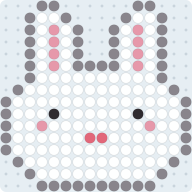


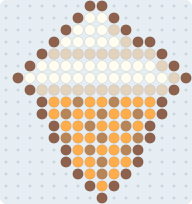
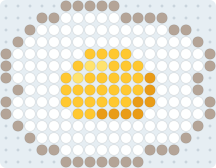
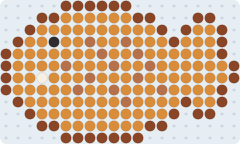
FAQ
How many beads should a fuse bead pattern made from a photo be?
For a close-up of a face, 40–60 beads across (about 10–16 cm with 2.6 mm beads) brings out the expression well. For a small keychain, around 29 beads.
How many colors should I use?
We recommend about 12–20 colors to start. More colors give more detail, but also mean more placing work and more kinds of beads.